





Unlock Pokecut VIP for just
23
:
59
:
59

Free Pixel Art Upscaler to Enlarge Pixel Designs Online
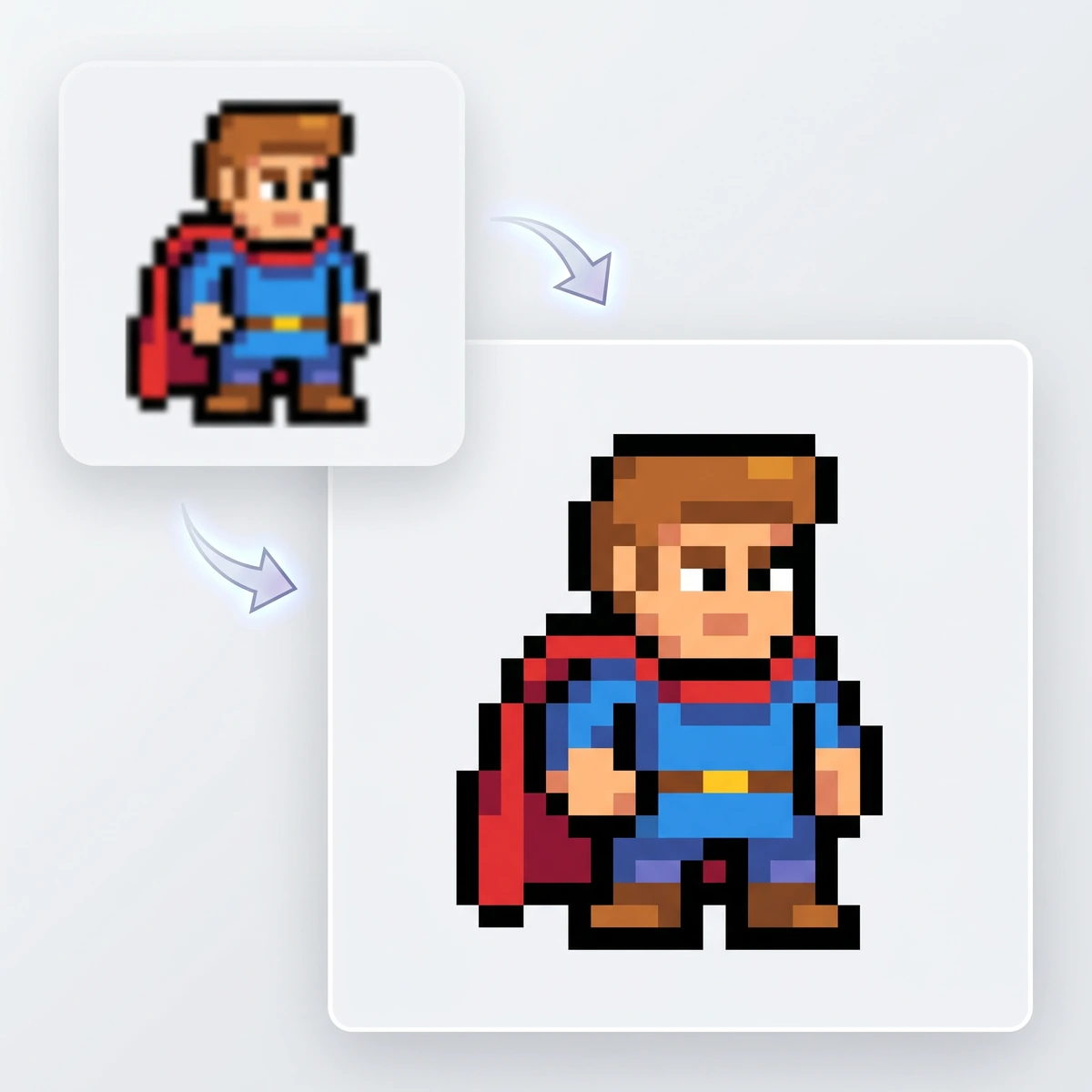
Looking for a free online pixel art upscaler? Pokecut instantly resizes your retro pixel art without blurring. Get 100% crisp edges in one click.

Upload Image
or drop a file here
CTRL+V to paste image or URL
Supported formats: JPEG, JPG, PNG, WebP, BMP


No image? Try one of these

By uploading an image or URL you agree to our Terms of Use and Privacy Policy
Why Choose Pokecut's Pixel Art Upscaler?
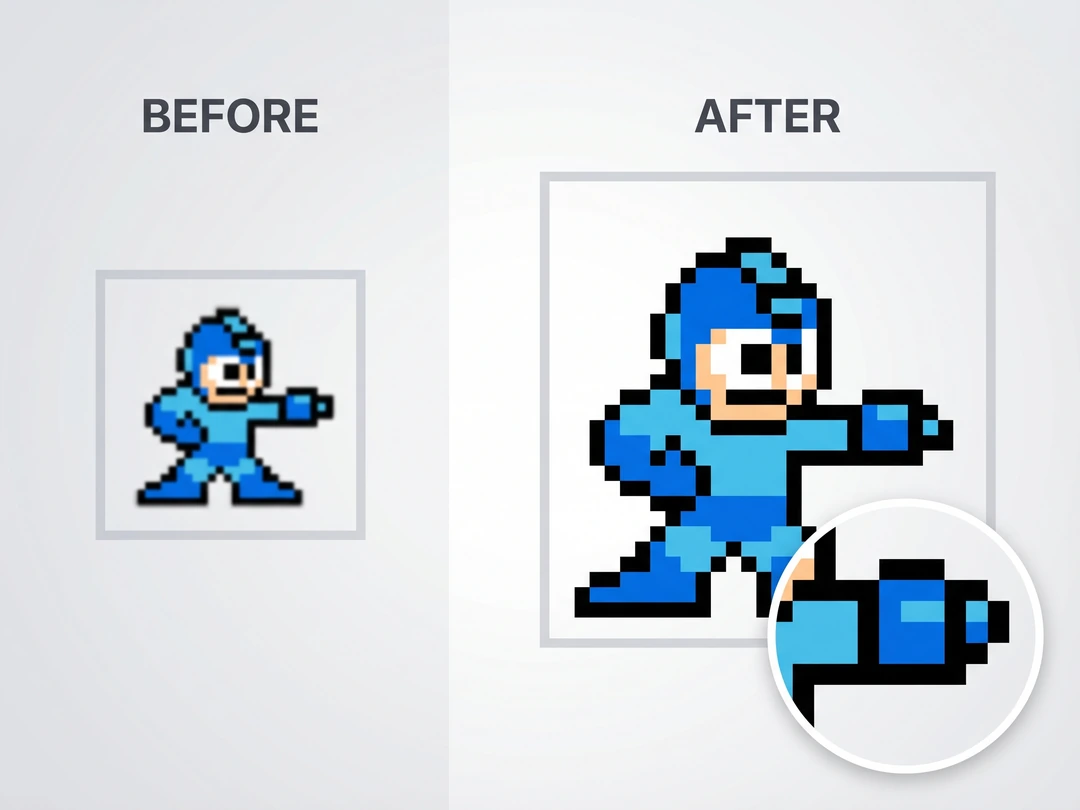
Upscale Pixel Art Without Blurring
Sharp edges are the whole point, and Pokecut keeps them intact during pixel art upscaling. The AI pixel art upscaler is tuned for retro grids, so color blocks stay firm instead of turning soft after a resize. When you need a real pixel art upscaler, not a generic enlarger that blurs the look, Pokecut is your best option.
Upload tiny icons, sprites, or other low-resolution pixel art and keep the square shape people expect. Pokecut's pixel art enhancer is specifically and deeply optimized for rebuilding retro pixel style. It completely eliminates the anti-aliasing artifacts and blurring issues often caused by traditional tools.
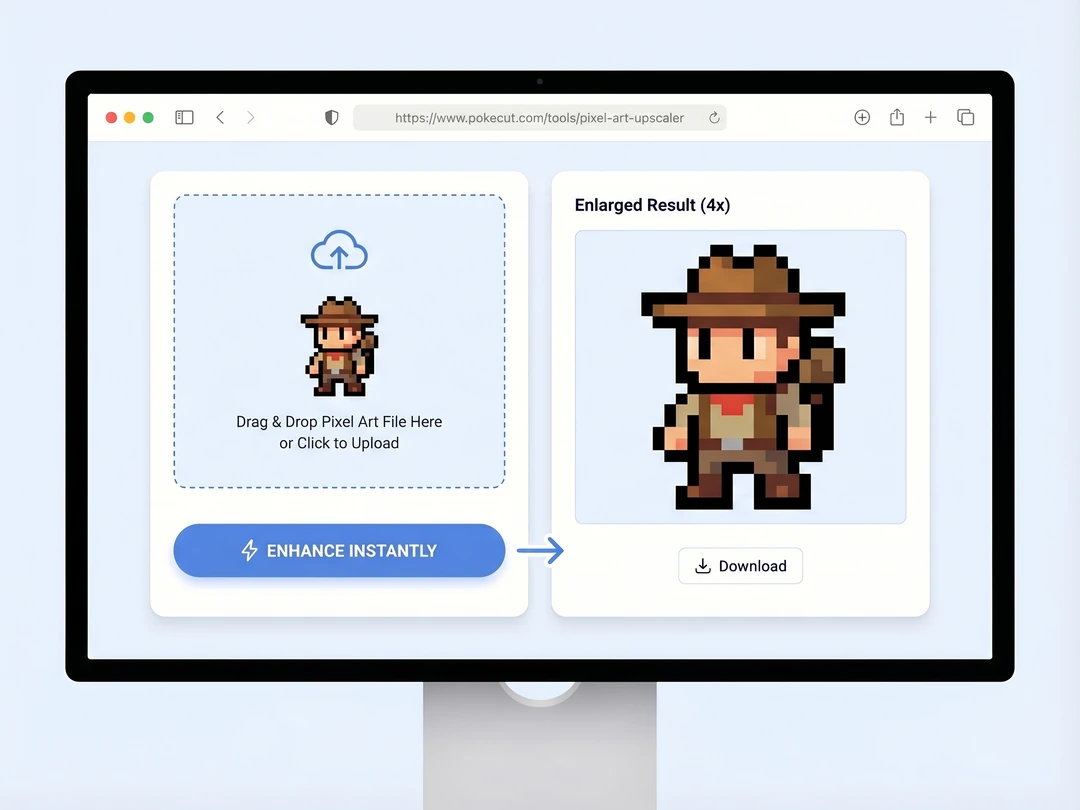
Resize Pixel Art Online in One Click
Upscale pixel style images instantly without any complicated manual settings. You never have to calculate integer multipliers by yourself again. Just drag and drop your file into the pixel scaler to see immediate results without ratio math, plugins, or messy export settings. Pokecut works well to make creating upscale pixel art online easier when time is short.
Pokecut's pixel image upscaler runs directly inside your web browser. Beginners with zero experience will get perfect outputs on the very first try. This fast workflow saves you hours of manual adjustments. Now you can focus all your energy on creation.
Explore 100% Secure AI Pixel Art Upscaler
Your creative work remains completely private and protected at all times. Pokecut never uses your original designs to train any machine learning models. It matters when you handle client sprites, unreleased game assets, or artwork you have not shared yet. Pokecut fully respects the copyright of indie game developers and digital artists during pixel art upscaling.
All uploaded files disappear permanently from Pokecut's secure servers right after you save the final results. We guarantee zero data retention and absolute file safety. Confidently upload unreleased commercial drafts to Pokecut's pixel art resizer without any worries.
What Can You Do with Pokecut's Pixel Art Scaler?
Discover how transforming low resolution images into crisp masterpieces helps creators, developers, and artists achieve their creative goals easily.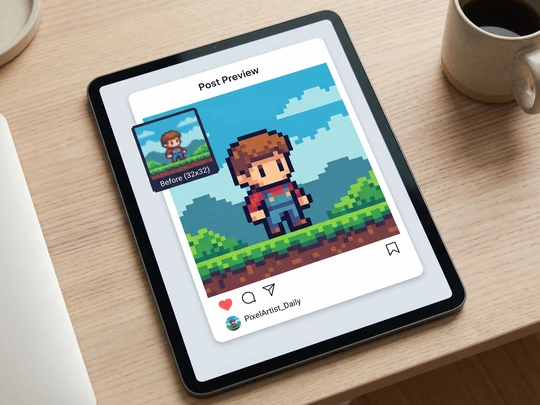
Enhance Social Media Posts
Get crisp 1080p images for your social feeds instantly. Social platforms often stretch tiny artwork and ruin the original pixel style. Pokecut solves this issue fast. Plus, it supports you to bulk upscale images to save valuable time.
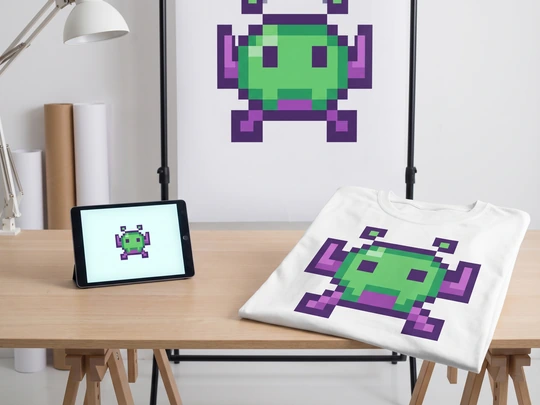
Print Merch Without Blur
Achieve 4K print quality for custom merchandise easily. Tiny source files cause blurry edges on physical prints. Pokecut completely removes this barrier. You get perfectly sharp results for posters and shirts. Pair this pixel image upscaler with Pokecut's AI product photo editor to create stunning visuals fast.
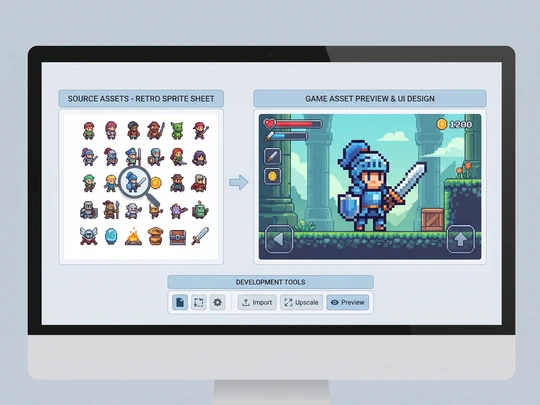
Create Game Assets
Enlarge sprite sheets instantly for flawless game UI development. Developers often struggle with mismatched asset sizes. Manual edits take too much time. Anyone wondering how to upscale pixel art will love Pokecut. If you are still at the conceptual stage, you can also use a sprite sheet generator to easily generate designs.
How to Upscale Pixel Art with Pokecut?
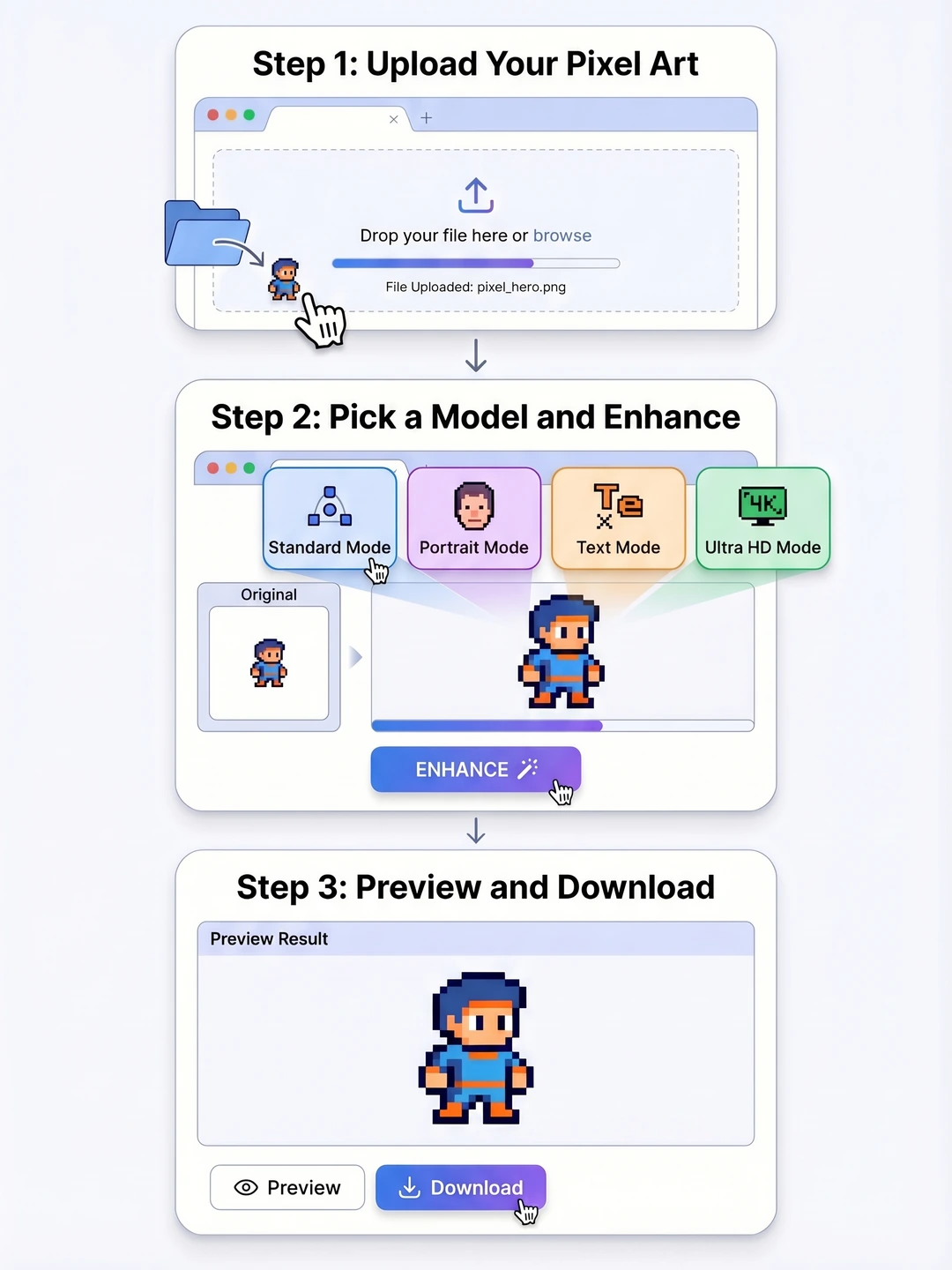
Step 1: Upload Your Pixel Art
Add your original image to Pokecut. JPG, JPEG, PNG, BMP, and WebP files all work.
Step 2: Pick a Model and Enhance
Choose the best model for your file, then click the "Enhance". Pokecut will run your order well.
Step 3: Preview and Download
Check the result online, then download a sharper file for posting, printing, game design, or other use.
See What Users Say About Pokecut's Pixel Art Resizer
Users praise the sharp edges, quick browser workflow, and reliable results on sprites, posts, and print-ready files.

Mason R.

"I used it on 32x32 game icons that looked rough in our Steam screenshots. Pokecut scaled them cleanly and kept the edges square, so I did not have to redraw the whole set."
Zoe T.
"My pixel posters always looked soft after I resized them for Instagram. Pokecut gave me a bigger file that kept the retro grid feel, which saved my launch post."
Kevin L.
"We printed small sprite art on stickers for an event booth. Pokecut gave us sharper source files, and the outlines held up much better than the other upscalers I tried."
Anita P.
"I only needed a quick browser tool for some old forum avatars. Upload, upscale, download. The result stayed clean, and I never had to open Photoshop."
Jordan C.
"Our indie team had legacy UI assets that were too small for a new build. Pokecut made them usable again without washing out the colors or softening the corners."
Mei S.
"Privacy mattered because I was testing unreleased client art. Pokecut handled the files fast, and I felt better knowing the uploads were cleared after export."

Reviews from: Reddit, Product Hunt, G2, TrustRadius, Google Play, App Store, and more.
FAQs About Pixel Art Scaler Free Online
Which image file types can I upload to Pokecut?
Pokecut accepts JPG, JPEG, PNG, BMP, and WebP files. After the pixel art upscale is done, you can download a sharp PNG or JPG. So it works well for sprites, icons, print prep, and game assets.
Will Pokecut change my pixel style or original colors?
No. Pokecut enlarges the file while keeping the original pixel style, edge shape, and color blocks in place. It is useful when you need pixel art resize results that still look the same as the source.
How does Pokecut upscale pixel art without blurring it?
Pokecut analyzes the grid, edges, and color areas before it scales the file. That helps the pixel image upscaler keep hard lines readable, so you get a larger image without the soft blur common in basic tools.
Do I need to download software to use the pixel art scaler?
No download needed. Pokecut runs in your browser, so you can start upscaling pixel art from any device and finish the job online without plugins, setup time, and extra design software.
How long does pixel art upscale usually take online?
Most files finish in a few seconds to about a minute, depending on the number and detail. Pokecut keeps the process quick enough for daily use, which helps when you need fast pixel art upscaling.
Explore Similar Al Features Like AI Pixel Art Upscaler
Pokecut's Pixel Art Upscaler Trusted by Professionals and Users

1M+ Users Worldwide
Pokecut generates over 500,000 images every day


Professional Privacy Protection
Ensure 100% data privacy for every photo

Trusted by Well-Known Brands
Apple, Google, PayPal, Stripe, Product Hunt, G2, TrustRadius
 POKECUT




Copyright © 2026 Pokecut All Rights Reserved.