





Unlock Pokecut VIP for just
23
:
59
:
58

Rate My Photo Online Free With AI Score Reports
Get an instant AI photo score for dating, headshot, or social profiles. Upload a portrait to analyze first impressions, face visibility, expression, composition, and lighting.✅ Instant AI Reports ✅ Actionable Tips ✅ 100% Free & Secure
No image? Try one of these


Why Choose Our AI Photo Rater for Your Pictures?
Get private, practical photo feedback before you post a portrait anywhere.
Rate a Portrait Online Free
Upload a selfie, headshot, or profile photo in your browser and see whether it feels ready to post. No editing skills or public voting page required.

Clear AI Photo Score Report
Pokecut gives more than a number. The report points out what works, what may lower the score, and which edits are worth trying first.

Private Photo Rating Check
Your portrait is checked for the current result only. The experience stays private, so you can test selfies or dating photos without a public rating thread.

Edit After the Rating
Low score areas become an editing checklist. Use Pokecut to clean the background, improve light, or polish portrait details before testing again.
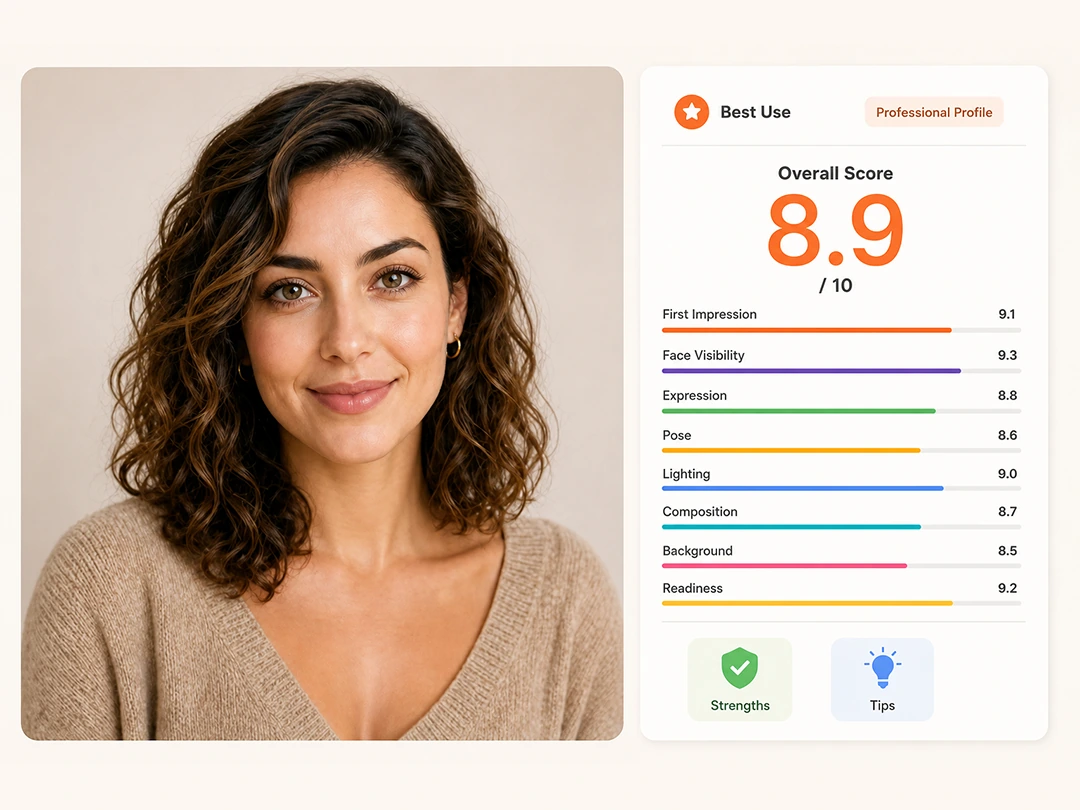
What Does Pokecut AI Photo Rater Check?
Pokecut reviews how your photo works as a profile image, not your worth or appearance as a person. It looks at whether the picture makes a clear first impression and fits the place you plan to use it, from dating profiles to LinkedIn and social accounts.
- First impression: Does the photo feel approachable and suited to its likely use?
- Face and expression: Is your face clear, naturally framed, and easy to read at profile size?
- Pose and composition: Does the crop keep attention on you and feel balanced?
- Photo quality: Are the lighting and sharpness clear enough to avoid a dark, flat, or blurry result?
- Background: Does the setting support the portrait without competing for attention?
Your report turns these signals into an overall AI photo rating, key strengths, and focused improvement tips. Use it to decide whether to post the image, compare another option, or make targeted edits in Pokecut first.
How to Rate My Picture Online
Step 1
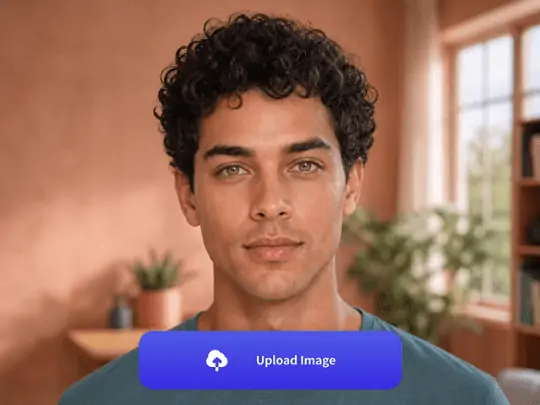
Upload a Portrait Photo
Choose a clear portrait, selfie, or profile picture. A front-facing face helps the AI photo rater read the image with fewer distractions.
Step 2
Let AI Review the Photo
Pokecut checks the visible photo quality and likely first impression. The score is a visual reference, not a judgment of personal worth.
Step 3
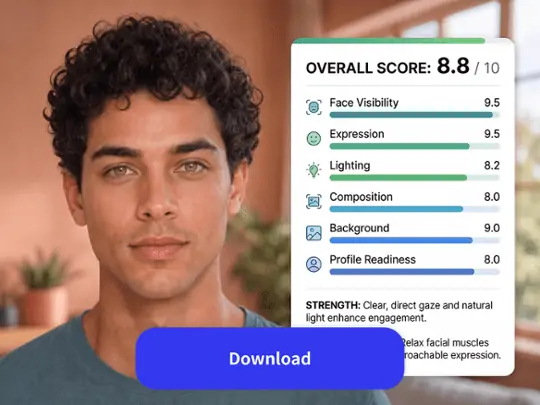
Read the Score Report
Review the score, strong points, and edit tips. Test another photo if you want to compare profile pictures before posting.
Rate Photos for Dating, Business, and Social Profiles
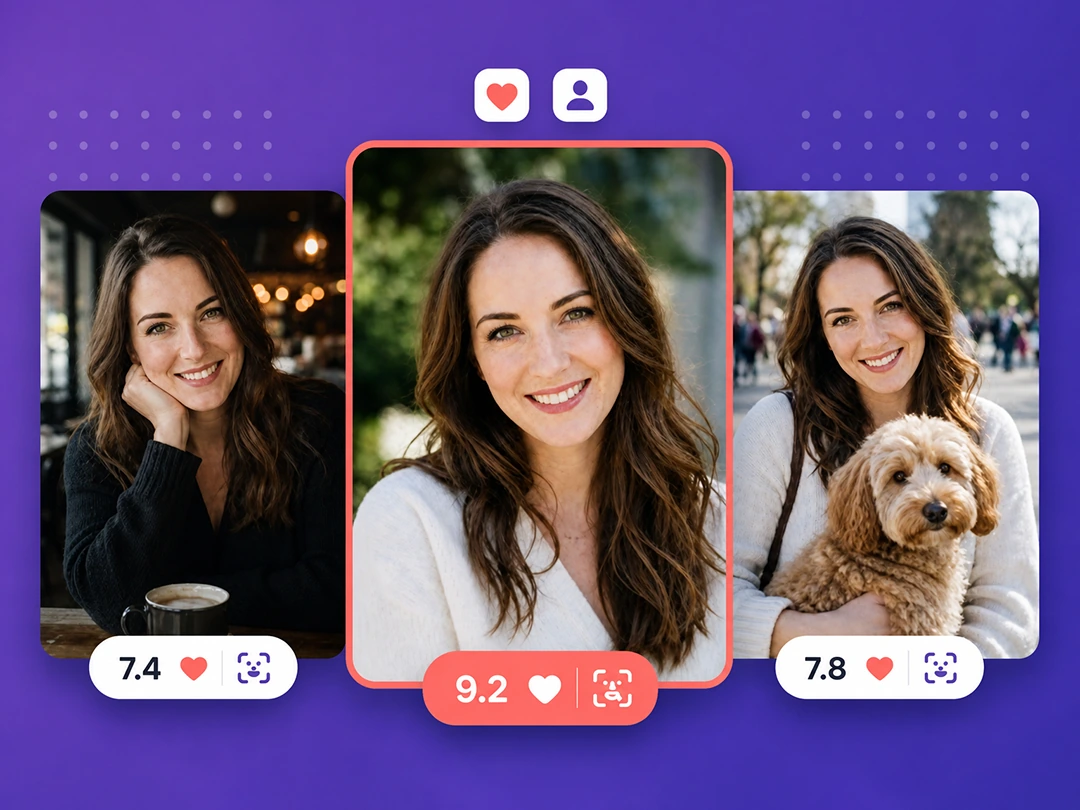
Dating Photos: Get More Right Swipes
Your dating photo can work best when the first read feels clear, natural, and easy to trust. Pokecut helps you rate your photo for Tinder-style profiles before the image becomes your lead picture. The report looks at face visibility, expression, background calm, and overall profile fit, then turns those signals into a simple score.
When several selfies look almost equal, this dating photo analyzer gives you a second opinion that is less awkward than asking every friend. Use the notes to pick the photo that feels warm without looking staged.
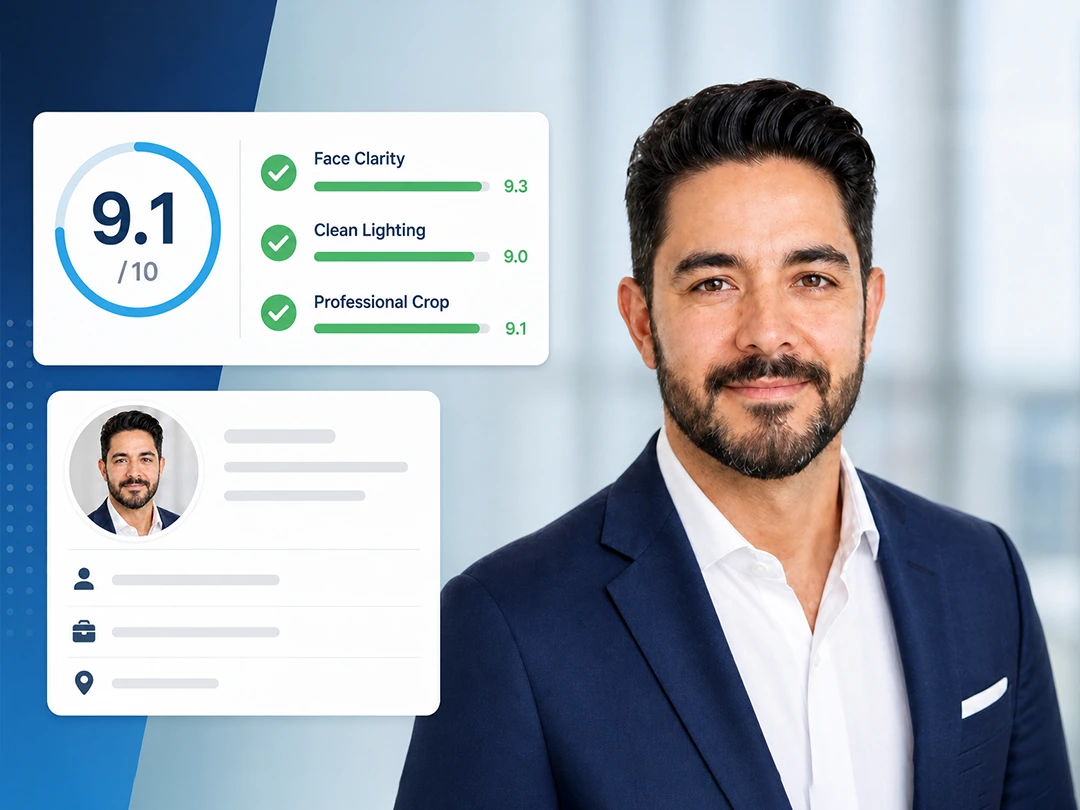
Business Headshots: Build Instant Professional Trust
A business headshot needs to read well at small size, especially on LinkedIn, resumes, and team pages. Pokecut's AI photo rater checks whether the face is easy to see, the lighting feels clean, and the crop supports a professional first impression. The feedback is useful before you upload a new profile photo or send a picture with a job application.
If the report points to a dull background or weak face visibility, you can fix the image first instead of replacing it with another guess. That helps when a small headshot has to carry trust fast.
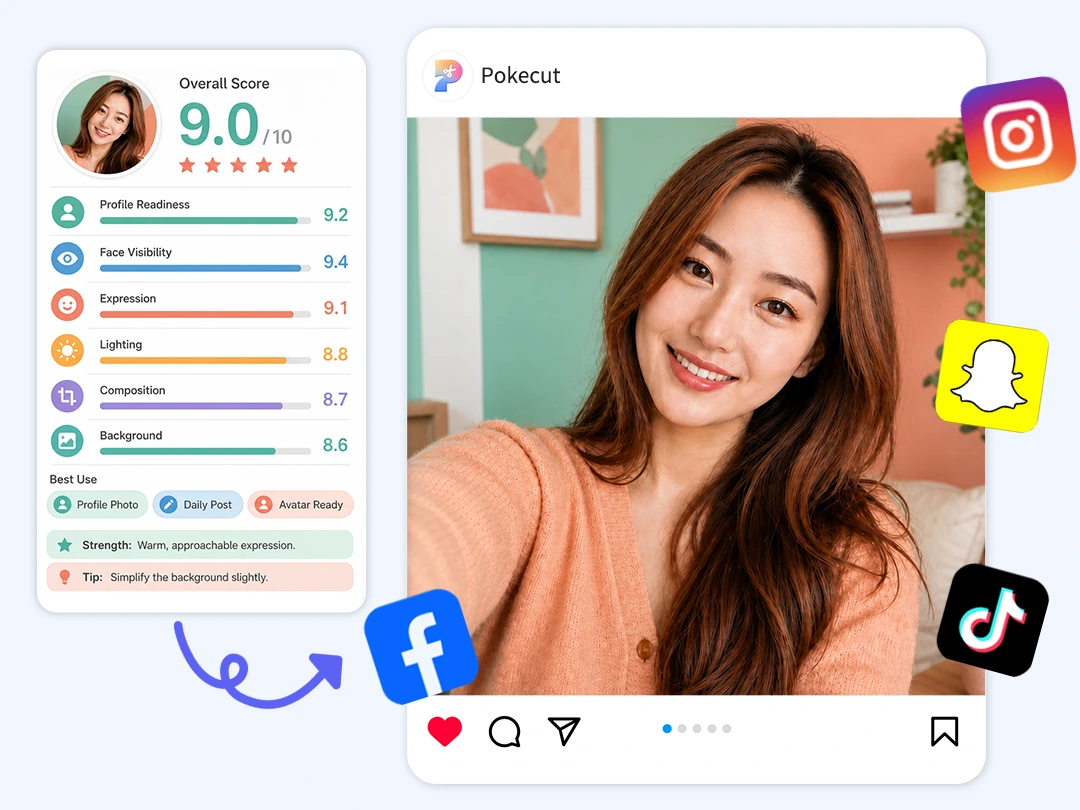
Social Profiles: Perfect Your Personal Brand
A social profile photo should feel recognizable, clean, and close to how you want people to see you. Pokecut gives selfie and avatar checks a more useful structure than a quick like-or-dislike reaction. The report explains whether the face is clear, whether the background pulls attention away, and whether the picture feels ready for a profile page.
Use it as a profile picture rater when choosing between casual selfies, cropped portraits, or a new avatar for daily social posts. That makes the final choice less about guessing and more about fit.
Improve Your Photo After Rating
Turn your AI feedback into a step-by-step editing checklist. Use Pokecut's built-in tools to fix lighting, clean up backgrounds, and retouch details, then re-rate your photo to ensure a flawless first impression.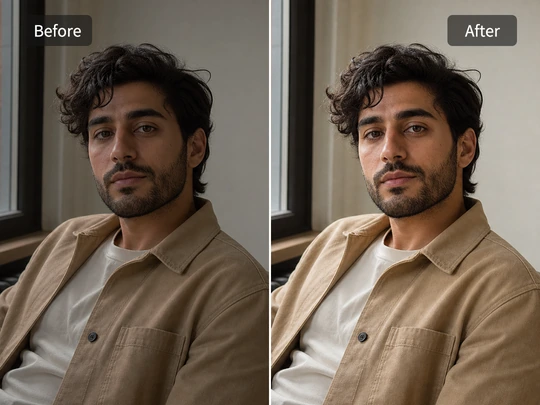
Fix Low Lighting
A dim photo can hide the expression that made you choose it in the first place. Bring back face detail without washing it out with Pokecut's photo lightener, then rate the clearer version again to see if it reads better.
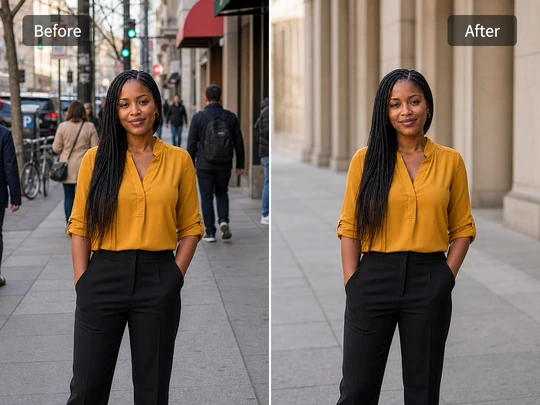
Remove Background Distractions
If the room says more than you do, the photo is working too hard. A quick cleanup with the background changer puts attention back on you and gives the image a calmer, more intentional profile look.
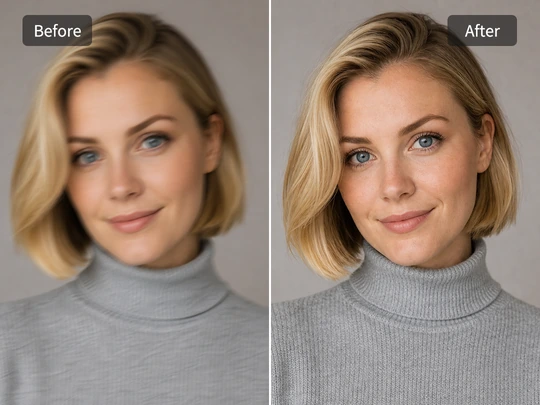
Sharpen a Blurry Portrait
When the eyes, hairline, or face edges soften, the first impression weakens too. Restore definition first, then compare the new score with the original before deciding which version deserves the spot.
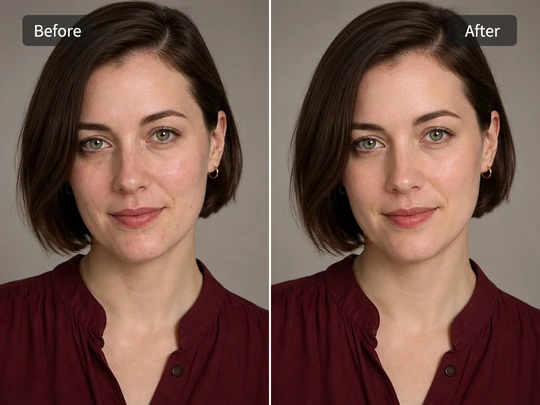
Retouch Face and Skin Details
The goal is a rested, polished portrait, not a different face. With Pokecut's face editor, soften small distractions or refine makeup and contour while keeping the result recognizably you. Re-rate it afterward and keep only edits that help the photo read better.
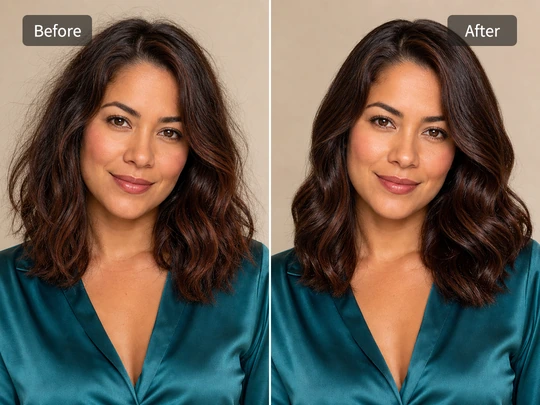
Refresh Hair and Style
Hair can decide whether an otherwise good shot feels finished. Tame flyaways, try a cleaner shape, or adjust color with the hair editor, then check whether the change improves the photo's balance instead of merely adding an effect.
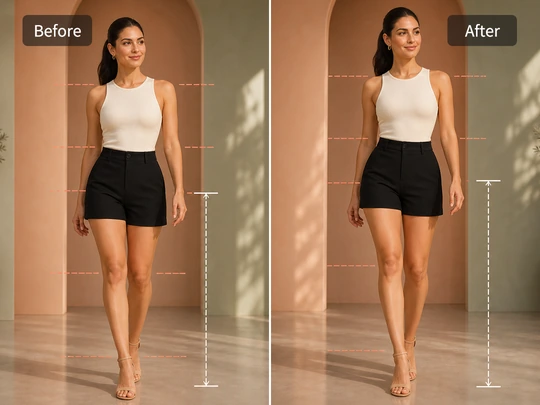
Polish Full-Body Portraits
For full-body photos, pose and proportions guide the eye as much as the face. Pokecut's body editor can refine the silhouette or posture with restraint, so the final picture feels composed and still believable on a profile page.
What Users Say About Pokecut Photo Rater
People use Pokecut to choose better photos without public voting.

Maya P.

"I tested three dating photos and finally saw why one felt cleaner. The score report made the choice less random."
Chris M.
"The feedback called out my flat lighting right away. I changed the background and my LinkedIn headshot looked much more focused."
Lena R.
"I like that I can check selfies privately. There is no public rating wall, and the tips are clear enough to act on."
Daniel K.
"The report gave me more than a score. It told me which photo had the stronger first impression before I posted it."
Ava N.
"A lower score did not feel discouraging because the next edits were obvious. I fixed the light and tested again."
Noah S.
"Comparing profile pictures is easier when each one gets separate notes. I picked the cleaner photo in a few minutes."

Reviews from: Reddit, Product Hunt, G2, TrustRadius, Google Play, App Store, and more.
FAQs About Rating Photos with AI
How does Pokecut score my uploaded photo?
Pokecut scores the visible presentation of the image, not you as a person. This photo rating AI reviews face clarity, light, expression, crop, background focus, and likely profile use, then gives edit ideas.
Can I rate my photo online free?
Yes. You can rate your photo online free in your browser by uploading a portrait or selfie. Pokecut returns a clear score report with practical notes before you decide to post, edit, or try another shot.
Can it help me choose dating app photos?
Yes. Pokecut helps compare dating photos by reading the first impression, face visibility, and background calm. It works well as a private AI image rater for Tinder check before you choose a lead image.
Are my uploaded portrait photos private?
Pokecut keeps the rating experience private and does not turn your upload into a public voting post. Use it to test selfies or profile photos without asking strangers to judge them, then edit only what matters.
What affects my photo score the most?
Lighting, blur, face angle, crop, background noise, and expression can change the result. A clear portrait usually performs better than a busy or heavily filtered image, especially at profile size.
Can I compare multiple selfies or profile pictures?
Yes. Upload each image separately and compare the score reports side by side. Pokecut works as a profile picture rater when several selfies look close at first glance and you need a clearer final choice.
What should I do after a low photo score?
Use the low score as an editing checklist, not a final verdict. Improve lighting, clean the background, sharpen the face, or adjust portrait details before rating the photo again and comparing the new report.
Why Creators and Brands Trust Pokecut for Photo Editing

1M+ Users Worldwide
Edit portrait photos faster with tools made for everyday creators.

#2 on Product Hunt
Try the AI editor recognized by the Product Hunt community.

Private Photo Editing
Keep portrait checks and edits inside a private workflow.

Built for Real Use
Move from photo feedback to practical edits in one place.
 POKECUT




Copyright © 2026 Pokecut All Rights Reserved.