




Unlock Pokecut VIP for just
24
:
00
:
00

Home > Image to Image AI > Free Online Chat Editor: Edit Photos via Text Prompts
Free Online Chat Editor: Edit Photos with Simple Words
Use a chat editor to change photos by prompt. Easily clean messy backgrounds, switch styles, and export high-resolution results without signing in.



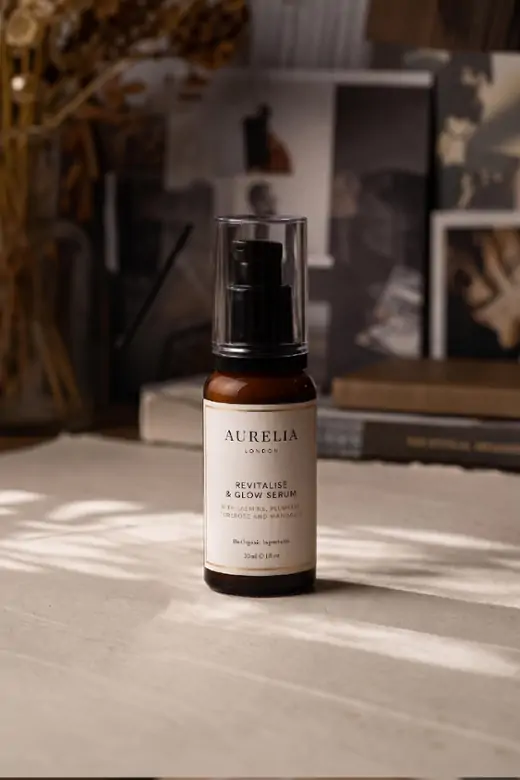
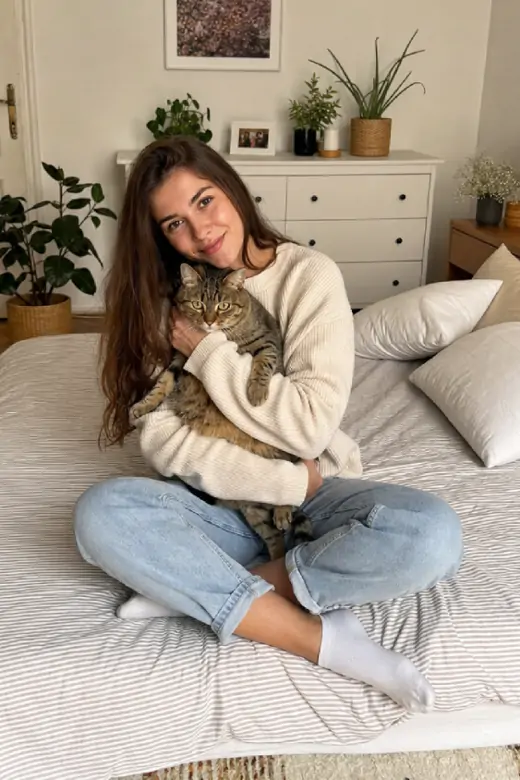


What Can This Chat Editor Create?
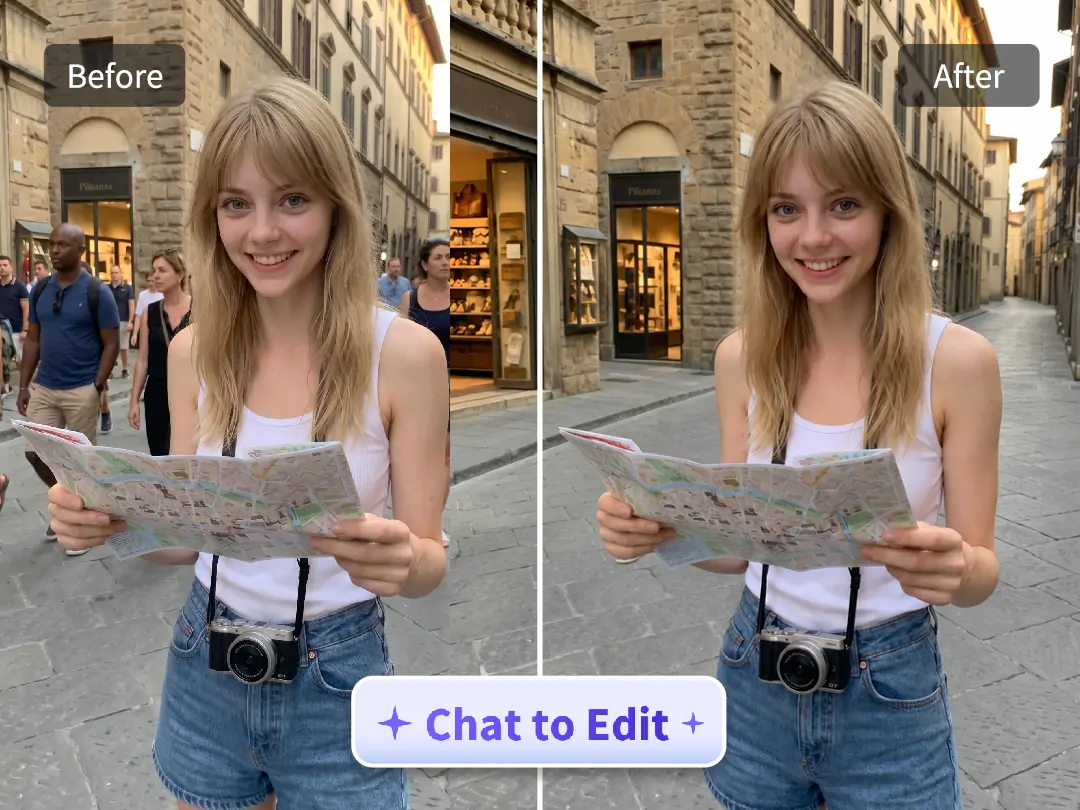
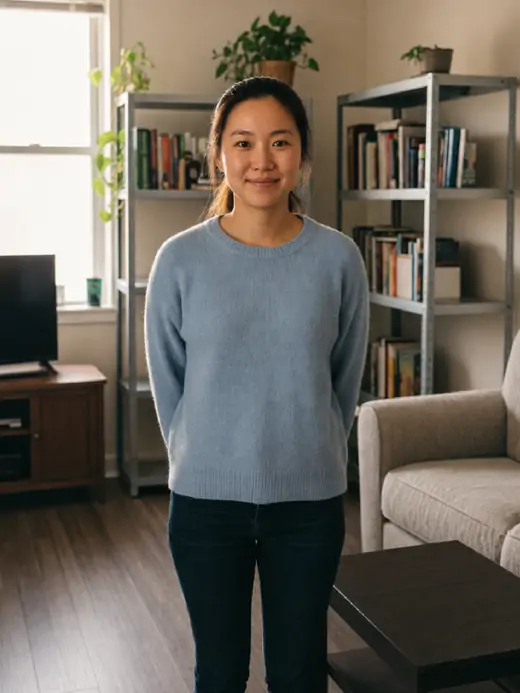
Clean Busy Backgrounds Without Manual Masking
Pokecut's Chat Editor instantly cleans up cluttered backgrounds to highlight your main subject. Instead of dealing with manual masking or complex brush tools, simply type a text prompt to edit your image. The AI removes unwanted elements and automatically fills the gaps by matching the original lighting and texture, ensuring a seamless and natural result.
This text-based workflow speeds up your image processing. It gives you precise control when removing background clutter, ensuring the final result looks completely real. Just describe your edit, and let the AI handle the complex adjustments for a professional finish.
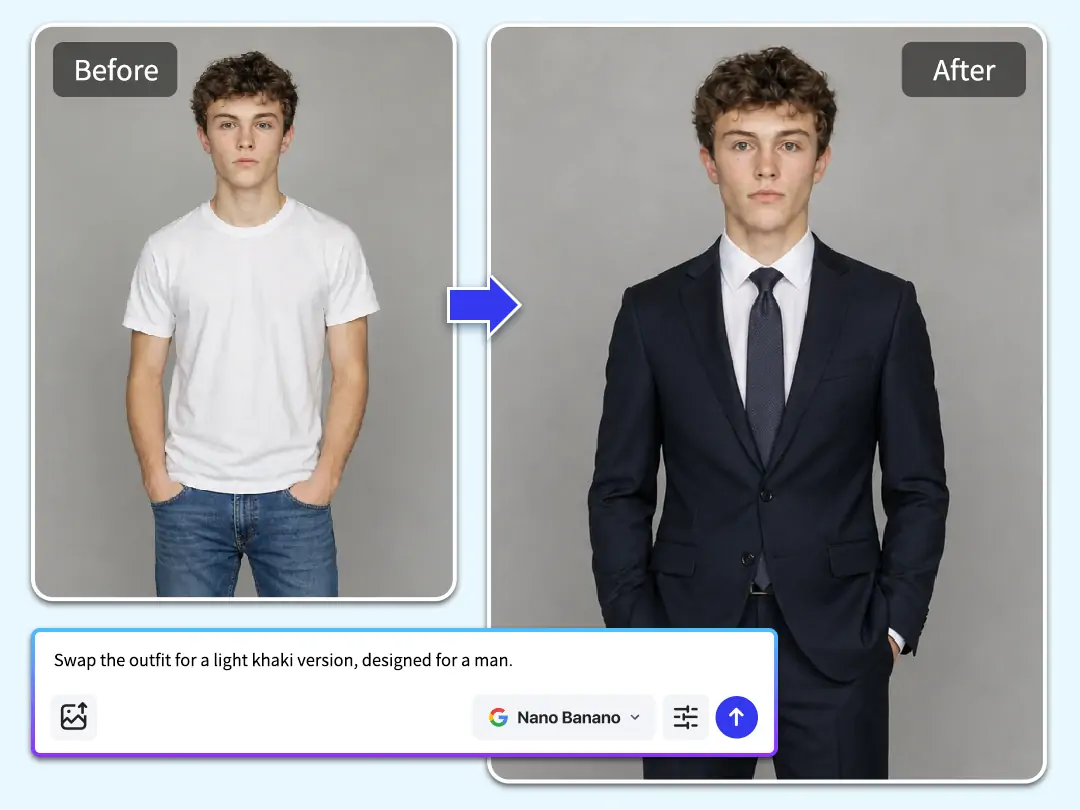
Change Outfits While Keeping the Body Natural
Updating your style is faster than ever with Pokecut's Chat Editor. Instead of booking a professional studio session, simply type a command to describe your new outfit and watch it wrap naturally around your body. The AI preserves the original lighting, shadows, and posture, ensuring the clothing blends perfectly into the photo rather than looking pasted on.
This text-based approach simplifies digital wardrobe updates. You can swap outfits seamlessly using AI without worrying about unnatural edges or sizing issues. Try this smart AI to handle complex photo editing. You can quickly visualize new fashion concepts and generate polished portraits in seconds.
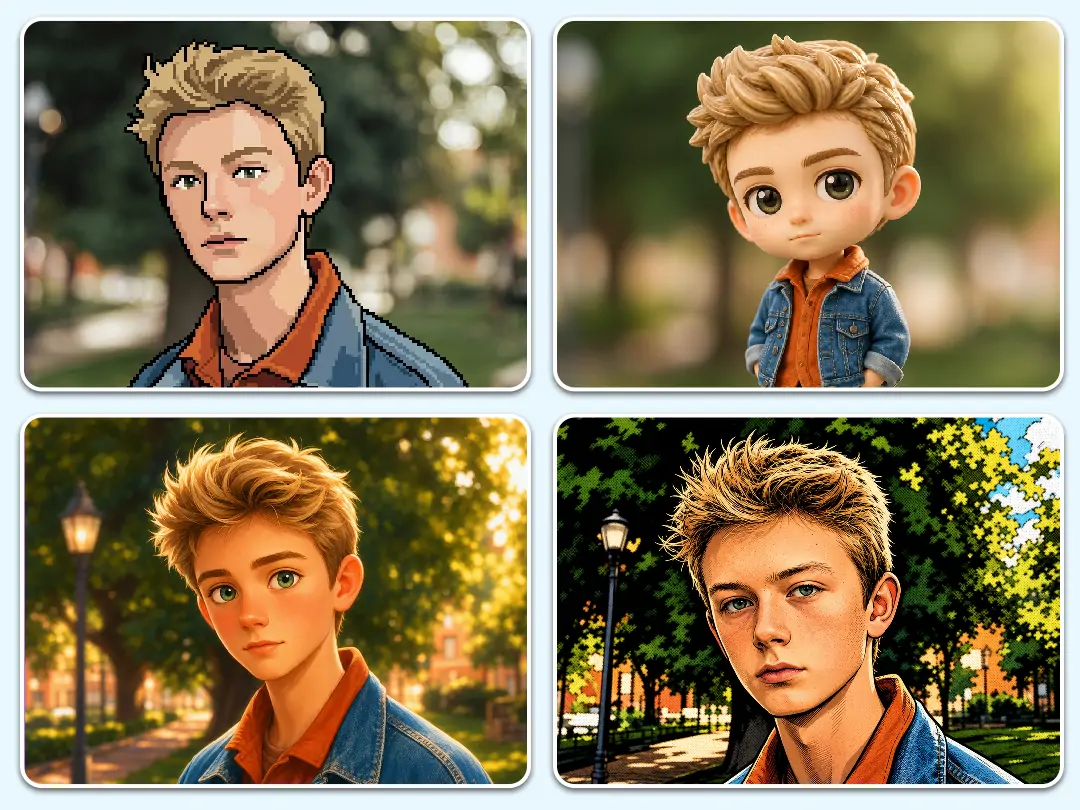
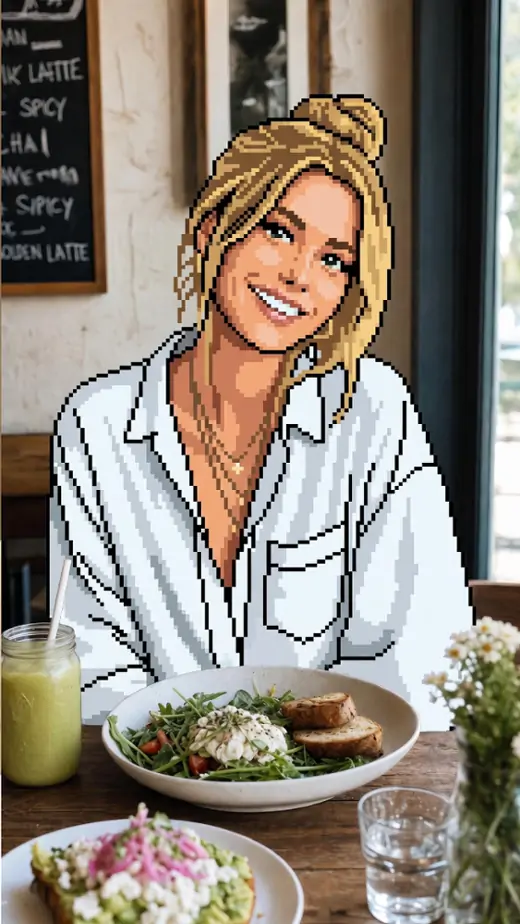
Turn Regular Photos into Guided Art Styles
Bring your photos to life with unique artistic styles using the Chat Editor. Whether you want to create a retro pixel art piece or a clay animation scene, just type your vision into the chat. Unlike basic filters that distort details, this AI retains your original pose, facial features, and structural outlines so the final design remains sharp and recognizable.
Typing simple prompts allows you to convert photos into distinct styles with professional precision. Every generation looks intentional, giving you a quick and scalable way to produce eye-catching visual assets for your brand or social media.
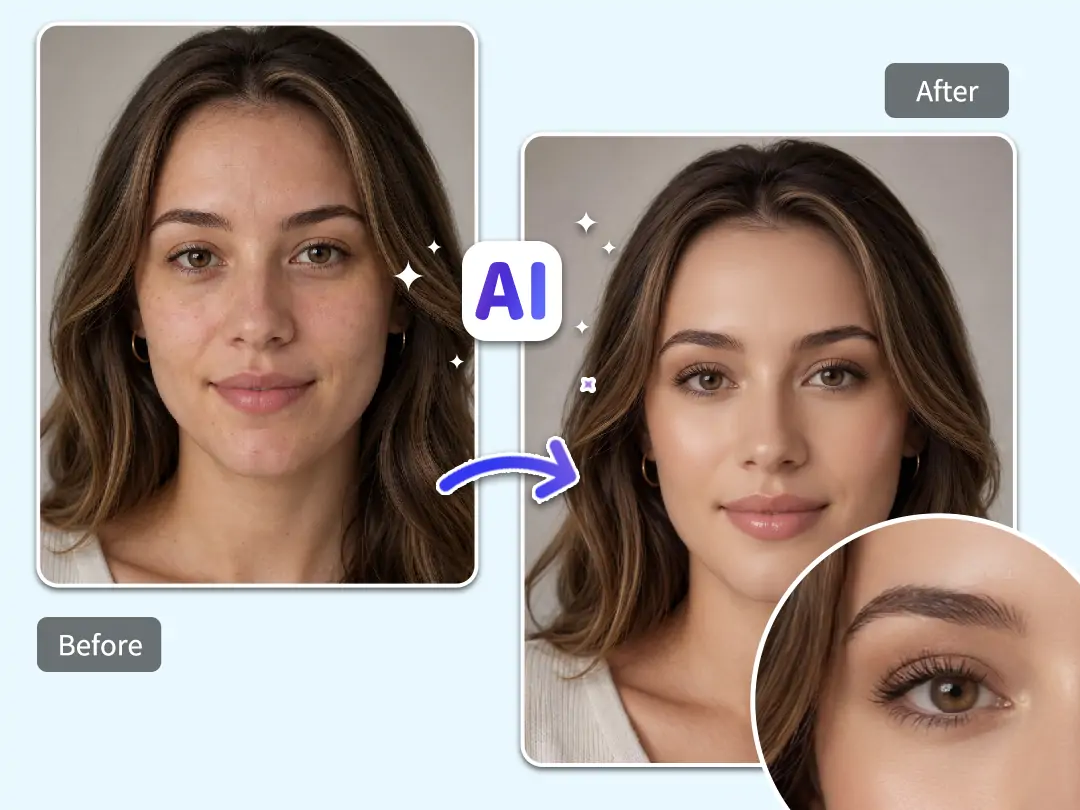
Refine Portrait Details with Professional AI Retouching
Enhance your portraits with studio-quality precision using the Chat Editor. Instead of manually tweaking sliders, simply describe the look you want to remove blemishes or smooth skin textures. The system analyzes facial features to apply subtle, targeted fixes, avoiding the over-processed appearance common in basic retouching apps.
Achieving a polished, professional headshot is as easy as typing a command. You can seamlessly refine your makeup or modify your hair color while maintaining a genuine, authentic appearance. Upload your portrait and instantly enhance the details with this AI chat editing tool.
Why Choose Pokecut Chat Editor?
Pokecut keeps prompt photo editing simple, private, and flexible enough for quick ideas, portrait fixes, and product visuals.
Free Start, No Sign-Up
Use Chat Editor for free without signing up. Just upload a photo and chat with AI to start your photo editing for instant results. This AI tool makes your design work easy and fast.

Multiple Models for Better Control
Pokecut provides multiple smart AI models like Nano Banana pro, Seedream 5.0, and ChatGPT Image 2.0. Get better control over your edits by using top-tier AI.

Clear Exports Without Watermarks
Download your AI-edited images in crisp, high resolution without any watermarks. It's ready for making social media posts, product photos, client slides or any creative project.

Private Editing for Real Projects
Pokecut securely processes everything inside the Chat Editor, so your personal portraits and business photos stay safe. You can easily edit your project images with total peace of mind.
How to Use Pokecut Chat Editor Online for Free
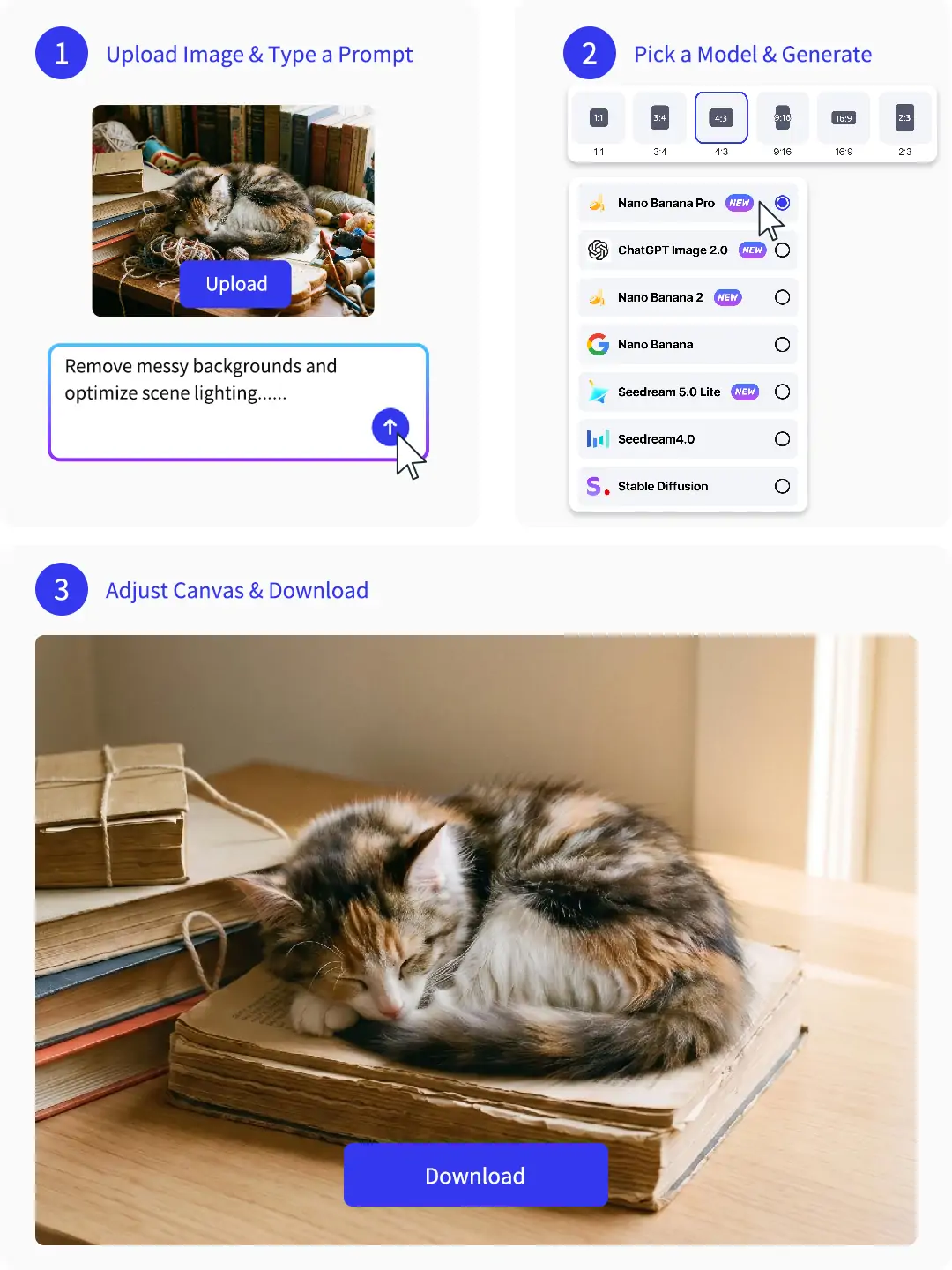
Step 1: Upload Image & Type a Prompt
Upload your photo and tell the AI what to change. Just type a clear description in the chat box, and Pokecut will process your request instantly.
Step 2: Pick a Model & Generate
Select an AI engine like ChatGPT Image 2.0 and set your image ratio. The tool generates up to four different versions so you can easily pick the best match.
Step 3: Adjust Canvas & Download
Move your result around the infinite canvas to get the perfect layout. Easily resize the image, then download your final high-quality photo right away.
See What Users Say About Pokecut Chat Editor
Users like the fast prompt workflow, clean repairs, and watermark-free exports.

Maya R.

"I used Pokecut to clean a travel photo where people were walking behind me. The prompt edit kept the background natural, and I did not have to learn layers."
Evan T.
"The outfit test helped me preview a campaign idea before booking a shoot. It followed the body shape better than the quick apps I tried before."
Nina K.
"I liked being able to generate a few versions and pick the cleanest one. The canvas made small position fixes easy before downloading."
Carlos M.
"Our shop photos needed cleaner backgrounds fast. Pokecut gave us usable product images without sending files to a designer for every tiny fix."
Jenna P.
"I tried a pixel style for a profile picture and the result kept the pose clear. The no-login start made it easy to test."
Owen L.
"The best part is the clean export. I could finish the edit, download the file without a watermark, and post it right away."

Reviews from: Reddit, Product Hunt, G2, TrustRadius, Google Play, App Store, and more.
FAQs About Chat Photo Editing
Can I use chat edit without creating an account?
Yes. You can test the tool for free without an account. We give you free credits to start. Upload a photo and try it right away. Premium plans are available for users who need more daily edits.
What photo changes can Pokecut handle?
Pokecut handles everything from background cleanup to outfit swaps. This Chat Editor works best when you give clear instructions for a specific look. It is the fastest way to get professional results through simple talk.
Does Pokecut support ChatGPT Image 2.0 editing?
Yes. Pokecut uses ChatGPT Image 2.0 and other top models to give you more options. If one result feels off, you can switch to another AI style to find the perfect look for your specific photo.
Will my exported photo have a watermark?
No, we do not add watermarks to your files. You can save your final edits in crisp high resolution. The AI chat photo tool gives you clean images. Your work is ready to share or post right away.
Do I need to write special text prompts for the chat edit tool?
No. You can just use simple everyday words. Tell the AI exactly what you want. Say things like "change the shirt to blue" or "remove the car." It understands basic conversational English well.
Pokecut's AI Chat Editor Trusted by Professionals and Users

1M+ Users Worldwide
Pokecut generates over 500,000 images every day


Professional Privacy Protection
Ensure 100% data privacy for every photo

Trusted by Well-Known Brands
Apple, Google, PayPal, Stripe, Product Hunt, G2, TrustRadius
 POKECUT




Copyright © 2026 Pokecut All Rights Reserved.